Advertise with the QR Code

You can easily save the QR Code Image for any vehicle and use it for newspaper ads or other means of advertising. Follow these simple instructions to save the QR Code Image:

From the Inventory Screen

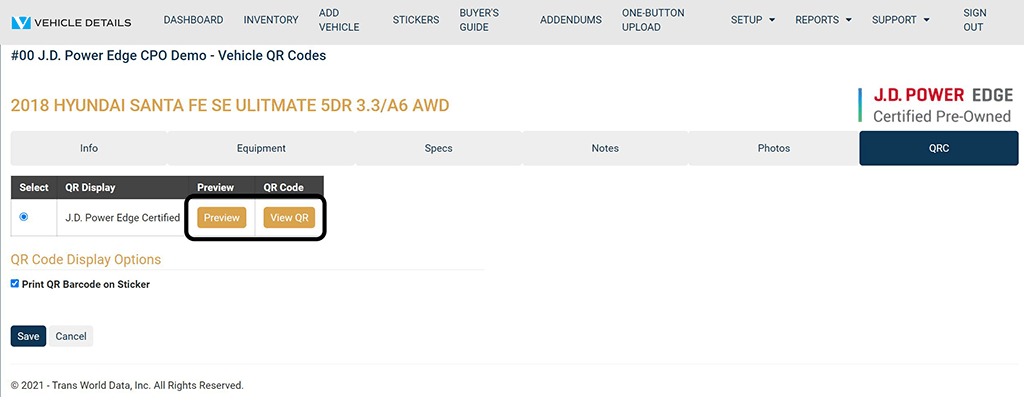
  • Click Edit next to the vehicle you would like to preview.
  • Click the QRC tab at the top of the Vehicle Edit Screen.
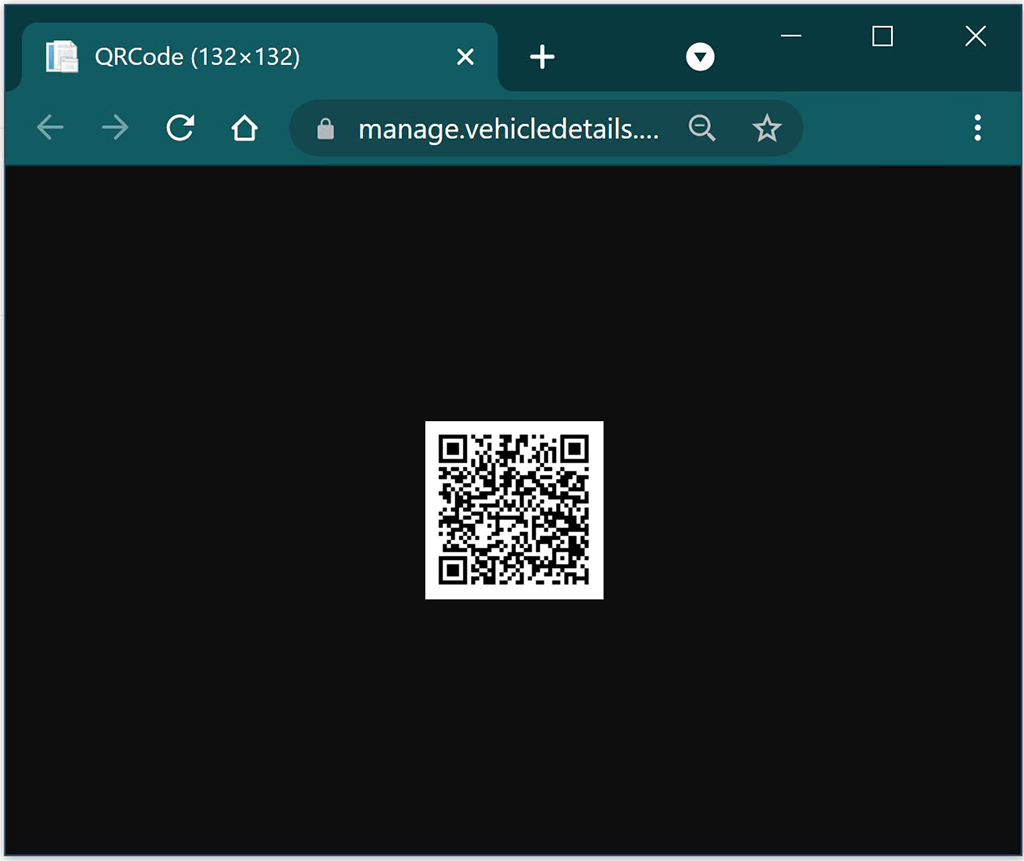
  • Click the View QR button. A pop-up window will appear with the QR Image.
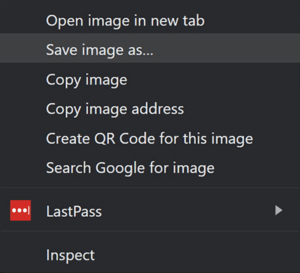
  • Right click on the requested image and select Save image as… from the menu. At this point, you are saving the QR Code Image as a JPEG to your computer. You will choose the folder location in the window that appears.
  • Name the file as the VIN of the vehicle you are working with.
Vehicle Details QR Preview
Vehicle Details QR Code
Save Image As

Program Manuals

NATIONAL PROGRAM NEW YORK PROGRAM

Contact your JM&A Group Representative at jmacustomerservice@jmagroup.com

Contact Us

For Inventory Management and Window Sticker Application Technical Support,
9:00 AM to 4:00 PM Central Time, Monday through Friday, please call:

Phone: (262) 240-9652

Email: support@vehicledetails.com

Ticket System: support.vehicledetails.com

For claims regarding the Limited Warranty, please call or fax: (800) 327-5172.

To order Limited Warranty forms, Buyers Guides or J.D. Power® Edge Pre-Owned* Program marketing materials, please call: (888) JMA-FORMS.

For billing questions, please call: (800) 443-9841 and press 6.